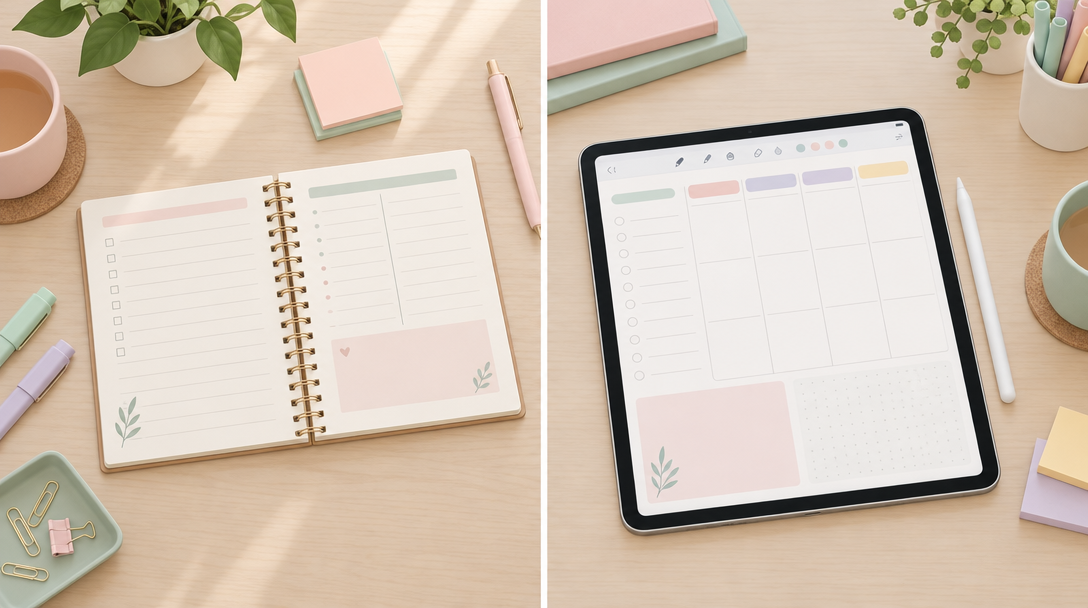
You have bought the beautiful notebook. You have also downloaded the planner app. Both are still half-used, three months in, and you are not entirely sure which one actually works for you, or whether you are meant to pick a side at all.
This is the quiet debate most organised people are having with themselves right now. Not which planner is trendier, but which one actually earns a place in daily life. The digital planner vs paper planner question gets asked a lot, and most answers are too loyal to one side to be useful. I’d rather give you the honest version, including the bits that do not flatter digital planning.
Where Paper Still Wins, No Argument
Let’s start with what paper does better, because it does do some things better, and pretending otherwise would be dishonest marketing, not good advice.
The feel of it
There is a tactile satisfaction to pen on paper that no stylus has fully replicated. The slight drag of the nib, the sound, the permanence of ink. For some people, this sensory feedback is part of how thinking happens. It is not nostalgia. It is a real difference in how the brain processes the act of writing.
No battery, no updates, no notifications
A notebook never needs charging. It never prompts a software update mid-sentence. It cannot buzz with a message while you are trying to plan your week. If your biggest struggle is digital distraction, a paper planner removes the device from the equation entirely, which is sometimes the simplest and most effective fix available.
Zero learning curve
You open it, you write. There is no app to learn, no layer to navigate, no settings menu. For someone who finds technology another thing to manage, that simplicity has real value.
Sara, Planjuli’s founder, puts it this way: “I think about this in terms of switching costs. Paper has almost none. You pick up a pen and you’re already planning. Digital tools ask for a small upfront investment of time before they pay you back. That’s a genuine trade-off, not a reason to dismiss either option.”
Where a Well-Designed iPad Planner Holds Its Own, or Wins Outright
Now for the other side, and this is where most comparisons stop being fair to digital tools, because they compare paper at its best to digital at its worst. Compared properly, a well-built iPad planner does things paper simply cannot.
You can find anything in seconds
Search is the quiet superpower. Typed notes, and increasingly handwritten ones in apps like GoodNotes, can be searched instantly. Try finding a single line from a notebook you filled four months ago. With a digital planner, you type a word and it is there.
Nothing is ever truly lost
Drop a notebook in a puddle, leave it on a train, and that’s it, the thinking is gone. A digital planner for iPad backs up automatically to iCloud or your cloud service of choice. Your February goals, your reading list, your half-finished project notes all survive, even if the device itself does not.
Hyperlinked navigation changes how you use the pages
This is the one most people underestimate until they try it. A proper digital planner, the kind built specifically for GoodNotes or Notability, lets you tap from a monthly view straight to the matching daily page, tap a tab to jump to your habit tracker, tap back to the index without flicking through fifty pages. Paper cannot do this. It is not a small convenience, it changes how willing you are to actually use the system daily, because friction drops to almost nothing.
One file, infinite reuse
Buy a paper planner and you get one copy of each layout. Make a mistake, you are stuck with it or you start again with a new notebook. A PDF planner GoodNotes file gives you the same page as many times as you need it. Duplicate a weekly spread, undo a mistake, try a new layout without buying anything new. It is the same economic idea as marginal gains: small, repeatable improvements that compound because the cost of iterating is close to zero.
It fits in a bag you are already carrying
Your iPad is already coming with you. A dedicated planner, a journal, a habit tracker, a project notebook, all living in one device rather than four separate books competing for space in your tote.
“Optionality is underrated in planning systems,” Sara says. “A good digital planner doesn’t lock you into one layout forever. You can switch templates, change your habit tracker, start a new month’s theme, all without buying a new notebook or wasting the one you already have. That flexibility is worth something real.”
The Honest Middle Ground
Here is the bit most comparisons skip. The best setups are rarely purely one or the other. Plenty of Planjuli customers write their to-do lists by hand in a digital planner, using Apple Pencil, so the tactile writing experience is still there, just on a more flexible page. You get the pen-to-page feel paper lovers value, plus the search, backup, and hyperlinked structure that paper cannot offer.
This matters most around seasonal resets, when motivation is high but systems tend to collapse within a few weeks. If you are starting a new routine this autumn, something like the September Reset Journal for Goodnotes | Planjuli is designed around exactly this gap: handwritten reflection pages that still carry the navigation and reusability of a proper digital tool, rather than forcing a choice between feeling and function.
What Actually Determines the Right Choice
It comes down to what you are optimising for, and there is no universally correct answer.
- If distraction is your biggest obstacle, paper removes temptation entirely.
- If you lose things, forget to back up, or have filled four notebooks you can never find anything in, digital solves a real problem.
- If you love the ritual of handwriting but hate carrying three different notebooks, a digital planner with Apple Pencil support gives you both.
- If you are new to digital planning and unsure where to start, a practical setup guide makes the first week far less fiddly than working it out alone.
There is also a cost worth naming honestly: digital planning asks for a small amount of upfront learning, understanding layers, hyperlinks, and how your app of choice handles handwriting. That cost falls quickly once you are set up, but it is not nothing, and anyone telling you it is effortless from day one is not being straight with you.
A Practical Way to Decide
Rather than treating this as an identity choice, treat it as a trial. Use a single digital planner for iPad for one full month, ideally something with monthly, weekly, and daily views properly linked together, alongside your usual paper habits. Notice where you reach for the iPad without thinking, and where you still instinctively grab a pen. That instinct tells you more than any product comparison ever could.
If you want a low-stakes way to test this, a well-designed digital planner for iPad built for daily use, with proper hyperlinked navigation and room to write by hand, is a reasonable place to start, without needing to abandon paper altogether.
Closing Thought
There is no winner in the digital planner vs paper planner debate, only a better fit for what you value. Paper offers presence, simplicity, and a complete absence of digital noise. A thoughtfully built digital planner offers structure, recoverability, and a kind of flexibility paper was never designed to provide. The calmest planning systems I have seen are not devoted to either camp. They borrow the best of both, and quietly let go of whichever bit stopped earning its place.