There is a particular kind of irony in scrolling Instagram to watch someone film themselves putting their phone away. The analogue backlash of the last two years has been loud, visible, and a little self-defeating. Typewriters on desks. Paper planners photographed in flat lay. Flip phones marketed to twenty-somethings who have never owned one. I understand the appeal, and I share some of the instinct behind it. But I think the backlash is aimed at the wrong target.
It is not screens that people are exhausted by. It is what screens have been turned into.
What people are actually reacting to
Nobody resents their iPad for existing. What they resent is opening it to check one thing and surfacing twenty minutes later having read six news alerts, three group chat messages, and an AI-generated summary of something they never asked about. The fatigue is real, but it is a fatigue of interruption, not of technology itself.
Think of it in terms of signal and noise. Your attention is a genuinely scarce resource, and every app on your device is competing for a slice of it, usually through a notification designed by someone whose job is to get you to look. Paper never does this. A notebook cannot buzz. A pen cannot push an update. That is the real draw of the analogue trend: not the materials, but the absence of demands on your attention.
This matters because it means the solution is not necessarily putting the device away. It is removing the parts of the device that are built to interrupt you.
The case for a handwritten digital planner
Here is where I think the pendulum has swung too far. A beautifully made paper planner is a lovely object, and if it works for you, you should keep using it without a second thought. But paper has real limitations: you cannot reorder a week once it is written, you cannot duplicate a habit tracker you liked, and if you lose the notebook, you lose the year.
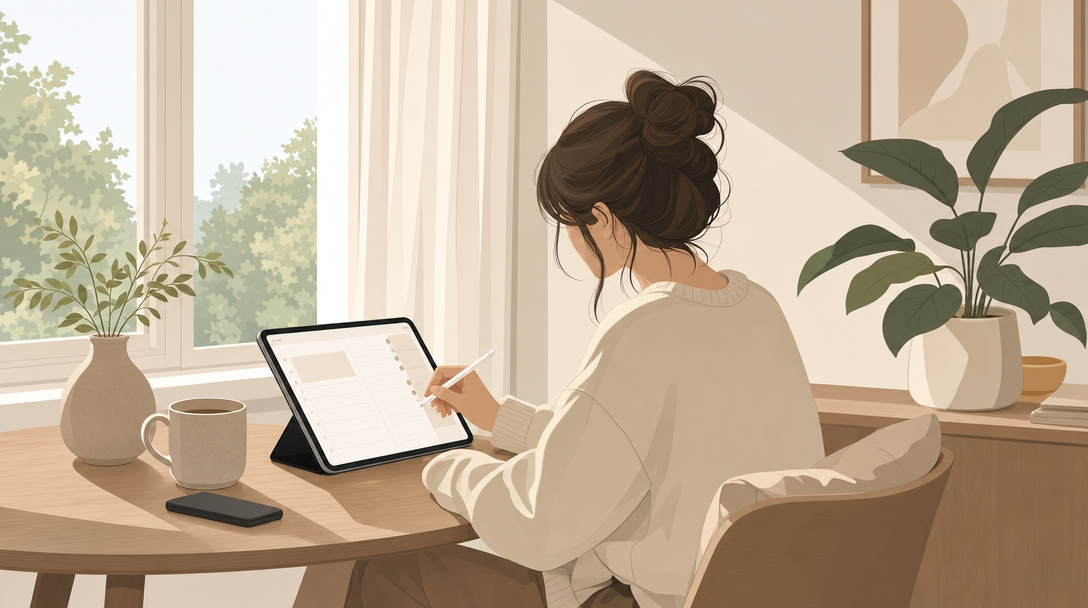
An intentional iPad planning routine solves for both problems at once. You get the calm of handwriting, because you are using an Apple Pencil on a page designed to feel like paper, not tapping through menus. And you get the flexibility of digital tools: undo, templates, searchable notes, and a system that does not fall apart the moment you miss a week.
“Optimisation isn’t about doing everything. It’s about choosing where your attention goes, and protecting that choice on purpose.” - Sara, Planjuli founder
The planners we design at Planjuli are built with this exact tension in mind. No pop-ups, no social feed, no suggested content. Just a page, and the tools to write on it. When you open a layout like the September Reset Journal for Goodnotes | Planjuli, the only thing competing for your attention is the question the page is asking you. That is a rare kind of quiet in 2026.
Why handwriting still matters, even digitally
There is a reason typing a to-do list feels different from writing one. Handwriting slows you down just enough to think about what you are actually committing to, rather than firing off a list at the speed of thought. An iPad planner keeps that slower, more deliberate pace, while still giving you the practical benefits of digital organisation: searchable entries, reusable templates, and a planner you can genuinely keep for years rather than replace every January.
This is also where the economics of switching costs are worth understanding. Every time you abandon a planning system, whether paper or digital, you pay a cost: the time spent setting it up, the habits you had started to build, the momentum you lose while starting again. A good intentional iPad planning routine is designed to reduce that switching cost to nearly zero. Templates duplicate instantly. Monthly spreads don’t need to be ruled out by hand. You keep the parts that worked and simply move forward.
Setting boundaries so the tool stays calm
An iPad is only as calm as the environment you create around it. If you open your planner with six tabs already running in the background, you have not solved the noise problem, you have simply relocated it. A few small boundaries make a disproportionate difference.
- Put your phone face down, or better, in another room, before you open your planner.
- Switch your iPad to airplane mode while you plan. There is rarely a planning task that requires live internet access.
- Close every app except the one you are using. GoodNotes, Notability, or Xodo do not need company.
- Choose one consistent time of day to plan, so the habit forms around a moment rather than a mood.
- Keep your planner on a dedicated iPad or in a separate folder, away from anything work-related that might tempt you to check email mid-session.
None of this requires buying anything new or dramatically changing your habits. It simply asks you to treat your planning time the way you would treat a conversation with someone you respect: present, undistracted, and finished before you move on to the next thing.
A small daily structure that holds this together
If you are building an intentional iPad planning routine from scratch, resist the urge to design an elaborate system on day one. Diminishing returns set in quickly when a planner has more sections than you have time to fill. Start with three honest questions each morning: what matters today, what can realistically wait, and what would make the evening feel calm rather than rushed. A well-structured daily planner does this work for you, with pages built around priority rather than an endless list of boxes to tick.
Consistency, not intensity, is what makes a system last. A planner you open for five quiet minutes every day will do more for you than a elaborate one you abandon within a fortnight.
Paper or iPad, the real question is attention
If you are still weighing up which format suits you best, it is worth reading a fuller comparison of digital planner vs paper planner before deciding. Both can work. What matters more than the material is whether your planning time is protected from interruption, and whether the system is one you will actually return to tomorrow.
The analogue trend is, at its heart, a reasonable response to a genuine problem. But the answer was never really about paper. It is about choosing tools, habits, and small boundaries that let you think clearly again, on whichever surface you prefer to write on.
If you would like to try this for yourself, open your iPad somewhere quiet, put your phone out of reach, and write down tomorrow by hand. See how different it feels from typing it.